Nau mai, haere mai! Welcome to our AskStudent IT pages
Tēnā koutou ngā kaihoe, ngā pōtēteke, ngā kaihautū, ngā kaiurungi o ō koutou waka e tere ana te moana nui o Pūmahara. Kei konei ngā rauemi hei āwhina i a koe ki te whakamahi pai i tō rorohiko. Kia paki te rangi, kia ngāwari te rerenga.
You can check our Knowledgebase at https://ask.otago.ac.nz, which contains information that may be of assistance.
We are also available for in-person enquiries between 8:00am and 6:00pm Monday-Saturday (closed on Sundays and Public Holidays).
Student Printing
You can print through the University using the email method, student desktop method, or printer driver method. Further information on the installation and usage of these methods can be found in the AskOtago knowledgebase.
Microsoft 365
Your enrolment at the University provides a Microsoft 365 license that you can use when you are enrolled at Otago. With this license, you will be able to install Microsoft Applications such as Word, Excel, Powerpoint, and OneNote, and you will be provided with 1TB of Cloud Storage in OneDrive. The installer can be accessed in your student webmail, and more information is available on the AskOtago Knowledgebase.
Please ensure that you are using your university account to log in to these applications to ensure you have the full features of the license provided to you. It is important to note that you will lose access to your office applications once you finish studying at Otago.
If you have any questions regarding Microsoft 365, please feel free to get in contact with AskStudent IT via email, phone or online chat.
Using the Student Desktop (Citrix)
You can use the full Student Desktop on your own computer. There are two methods of connection available.
- Light Version
(Recommended). No installation is required. This version has limited features, and may not be suitable for all activities. Login here. More information on the light version of the student desktop can be found in the AskOtago Knowledgebase. - Full-Featured Version using Citrix Workspace
(We are currently experiencing problems with the Citrix Workspace Application so suggest using the light version if possible)
Instructions for connecting to the Citrix Workspace version of the Student Desktop can be found on the AskOtago Knowledgebase
This method can be complex but provides more features, including:- The ability to easily transfer files between your desktop and your personal device.
- Ability to use the Student Desktop on multiple monitors.
- Better performance when using resource-heavy programs such as Stata and ArcGIS.
Multi-Factor Authentication (MFA) for student accounts
Full instructions can be found on the AskOtago Knowledgebase
If you have any questions or need assistance, please contact us via, email at student.it@otago.ac.nz or call us at 03 479 5170, or the AskOtago Online Chat Service
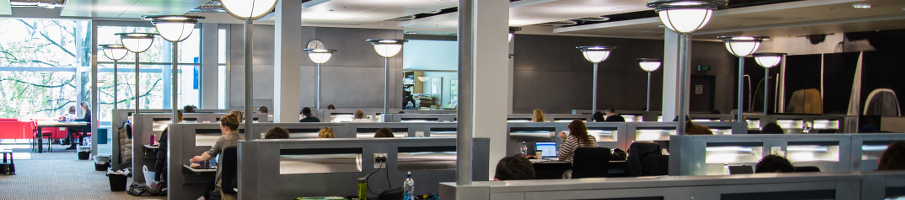
Study space/Computer labs
Student App
The Student App provides a variety of useful information, including timetables, maps, important events, emergency information, weather, and your results.
Download links for the Student App can be found below:
If you have any issues with the Student App, please contact AskStudent IT at student.it@otago.ac.nz, 03 479 5170, or via AskOtago Online Chat.
