
On this page you will find information about each ITS managed pool room that you can book in the Otago Business School (OBS), such as room capacity, equipment and photograph of the rooms.
Location
The Otago Business School is located at the intersection of 60 Clyde Street and Union street East. The Business school accommodates seven pooled teaching spaces and for large special events the Atrium can be hired/used.
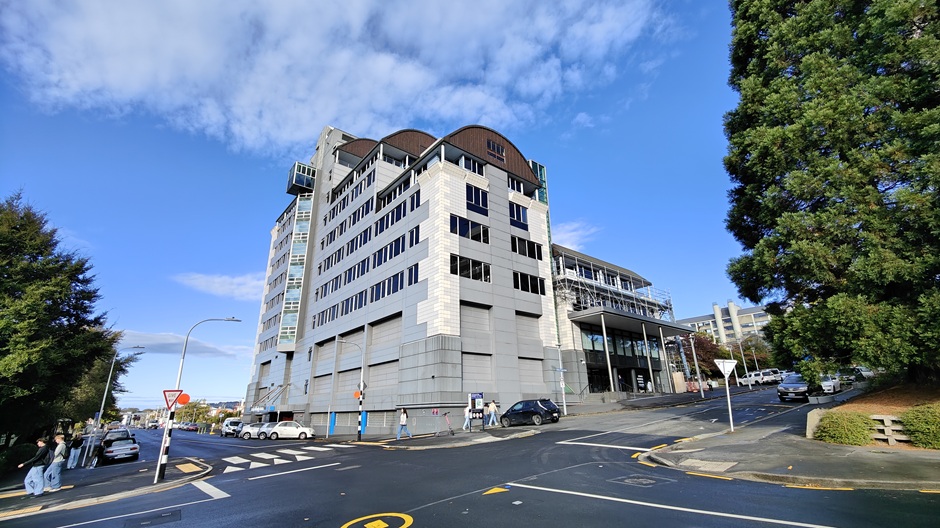
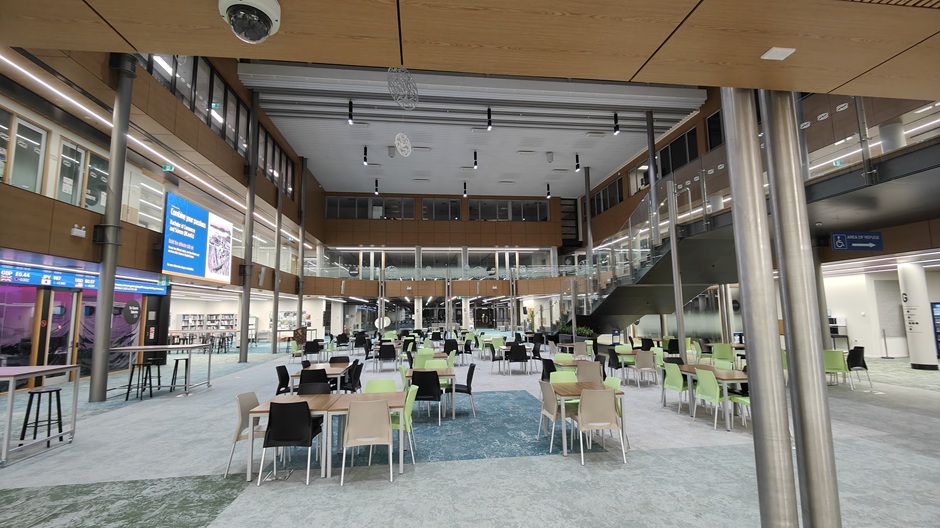
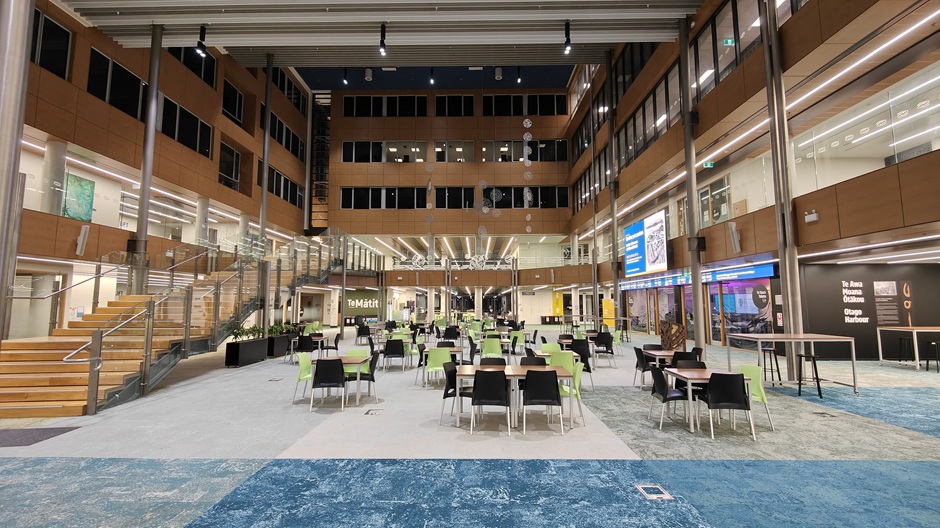
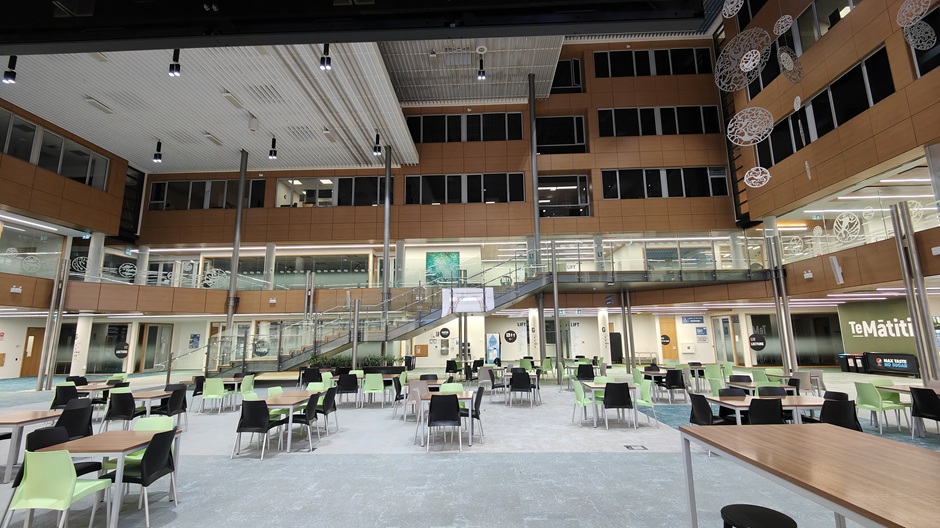
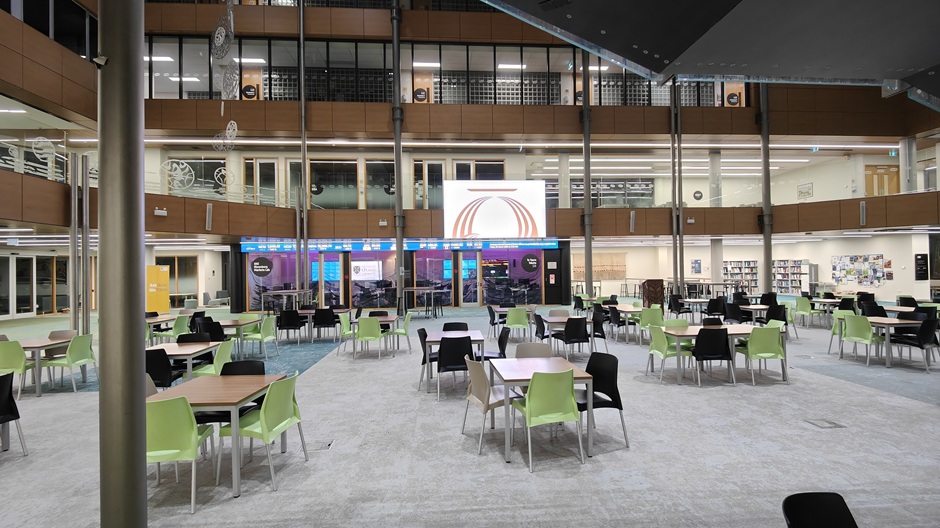
Otago Business School Atrium - Te Wao Nui
Located on the ground floor of OBS.
Room code: GQ02
Room number: G.Q02
Capacity: Approx 150 depending on type of event
| Room features | |
|---|---|
| Theatre controls | BYOD ready with prior notification to AV support |
| Recording facilities | Contact Media Production |
| Interlinking | By arrangement |
| Laptop connections | HDMI with USB-C adapter on request |
| Dropbox folder name | N/A |
| Equipment available | Quantity | Details |
|---|---|---|
| Screen | 1 | 4k LED Wall 3.8m x 2.1m |
| Whiteboard | Contact property services | |
| Computer | 0 | |
| Visual presenter | 0 | |
| Radio microphone | 2 | 2 either lapel or handheld |
 |  |
 |  |
To book this room please go to Resource booker
For emergencies: Technician, after-hours and security phone numbers can be found next to the Emergency Telephone on the lectern.
If you would like more information about the Otago Business School Atrium, please contact the area AV Support technician:
- Tel +64 3 479 4561
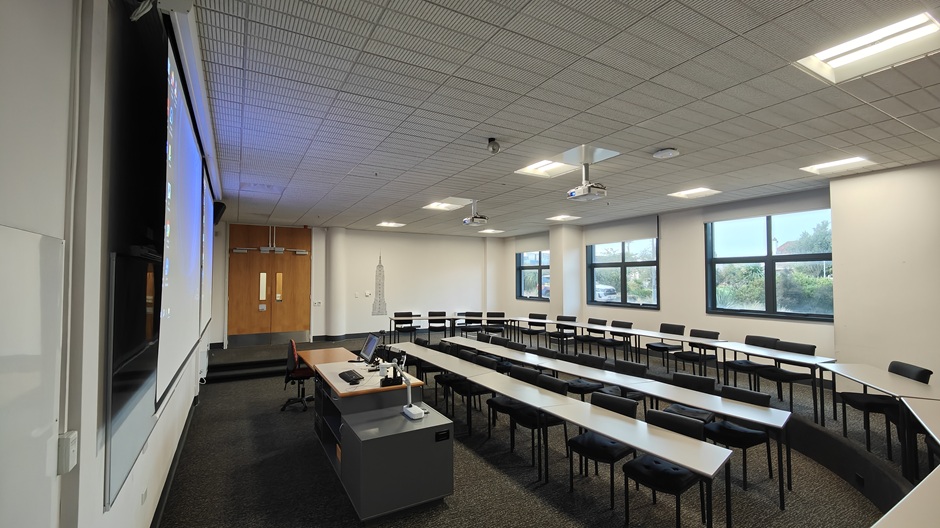
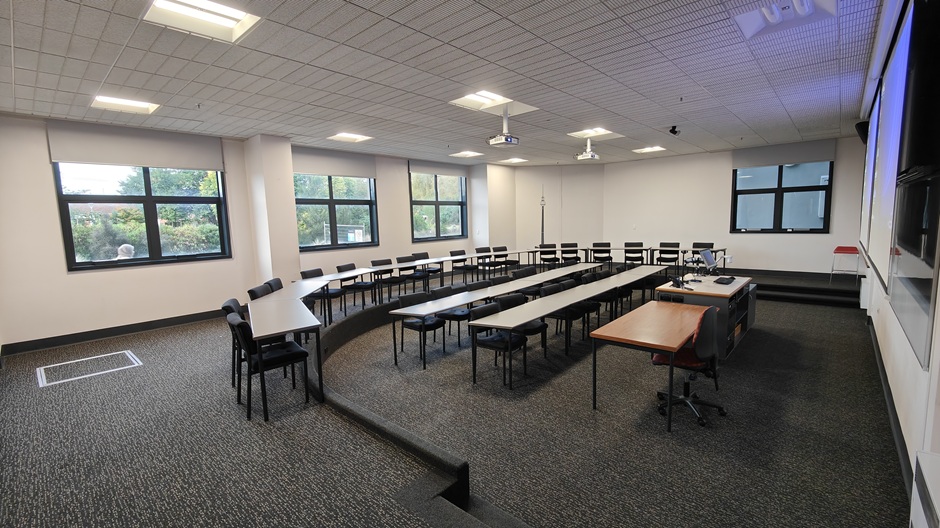
Otago Business School Room LG.04
Located on the lower ground floor of the Otago Business School.
Room code: OBSLG04
Room number: LG.04
Capacity: 36
| Room features | |
|---|---|
| Theatre controls | Fully integrated audiovisual and lighting controls operated by the lectern touch panel |
| Recording facilities | Otago Capture Lecture Recording Audio Out on lectern with volume control |
| Interlinking | No |
| Laptop connections | HDMI with USB-C adapter |
| Dropbox folder name | obslg04 |
| Equipment available | Quantity | Details |
|---|---|---|
| Screen | 2 | 2.4m x 1.2m motorised |
| Whiteboard | 2 | 2.4m x 1.2m |
| Computer | 1 | Windows (PC) |
| Data projector | 2 | Full HD resolution - data projection control from lectern (16:9 format) |
| Visual presenter | Available | |
| Radio microphone | 2 | 1 lapel and 1 handheld microphone |
 |  |
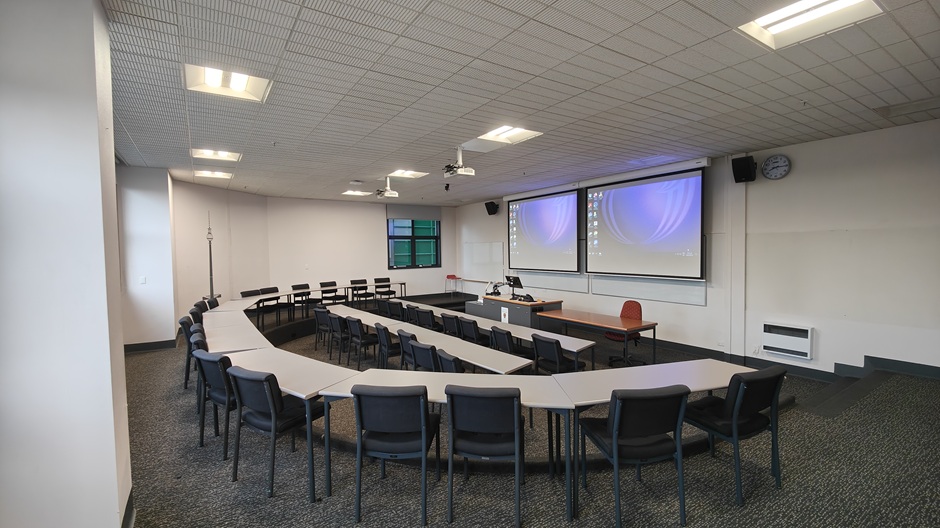 | 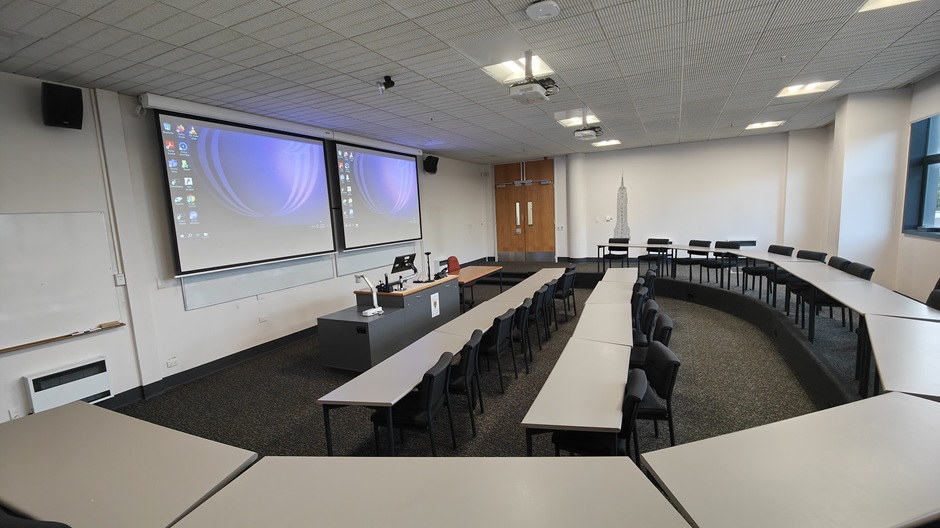 |
Description of room layout: A standard classroom style arrangement of movable tables and chairs.
Room charges for internal customers (i.e. those charging to a University of Otago account code)
Room charges for external customers (i.e. all other customers)
For emergencies: Technician, after-hours and security phone numbers can be found next to the Emergency Telephone on the lectern.
If you would like more information about Otago Business School LG04, please contact the area AV Support Technician:
- Tel +64 3 479 4561
Otago Business School Room LG.05
Located on the lower ground floor of the Otago Business School.
Room code: OBSLG05
Room number: LG.05
Capacity: 36
| Room features | |
|---|---|
| Theatre controls | Fully integrated audiovisual and lighting controls operated by the lectern touch panel |
| Recording facilities | Otago Capture Lecture Recording Audio Out on lectern with volume control |
| Interlinking | No |
| Laptop connections | HDMI with USB-C adapter |
| Dropbox folder name | obslg05 |
| Equipment available | Quantity | Details |
|---|---|---|
| Screen | 2 | 2.4m x 1.3m motorised |
| Whiteboard | 2 | 2.4m x 1.2m |
| Computer | 1 | Windows (PC) |
| Data projector | 2 | Full HD resolution - data projection control from lectern (16:9 format) |
| Visual presenter | Available | |
| Radio microphone | 2 | 1 lapel and 1 handheld microphone |
 |  |
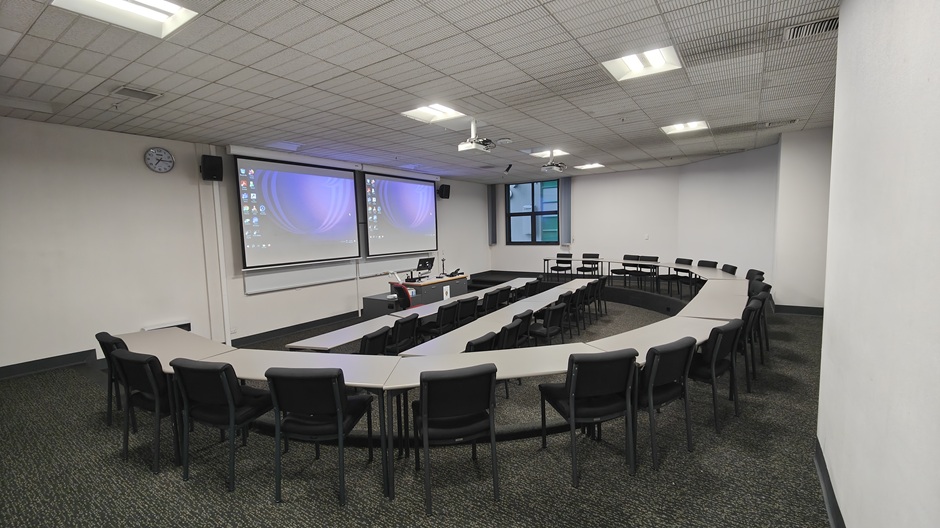 | 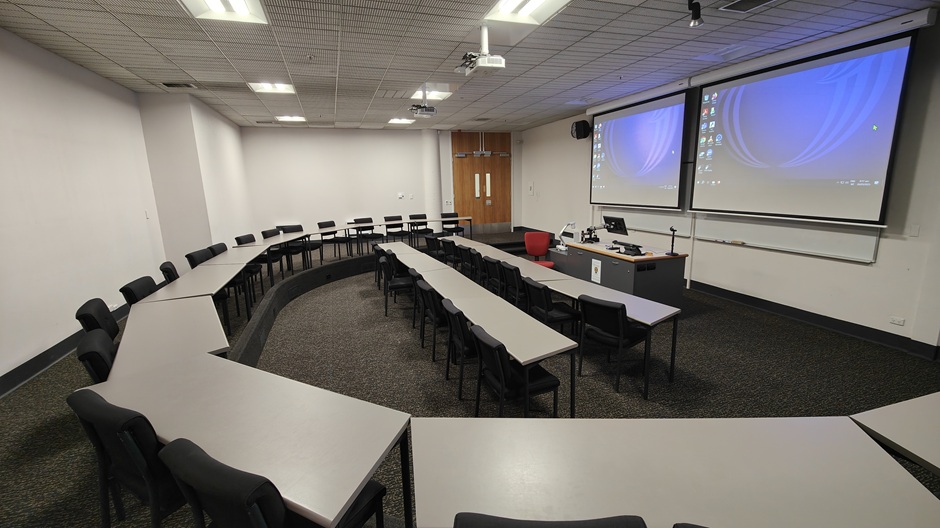 |
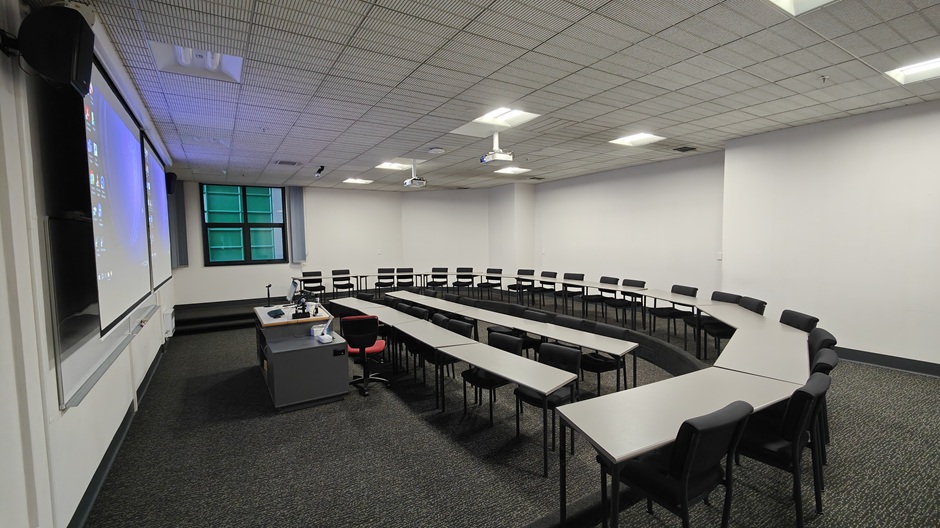
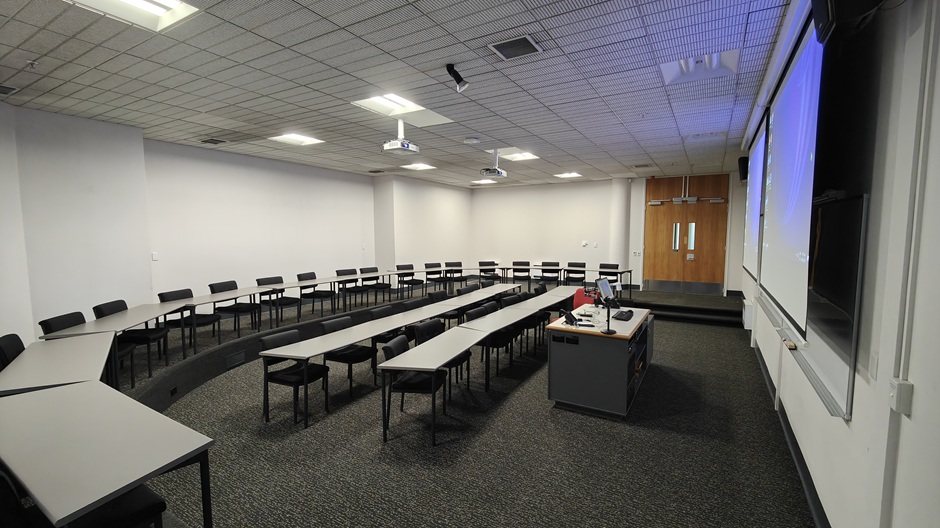
Description of room layout: A standard classroom style arrangement of movable tables and chairs.
Room charges for internal customers (i.e. those charging to a University of Otago account code)
Room charges for external customers (i.e. all other customers)
For emergencies: Technician, after-hours and security phone numbers can be found next to the Emergency Telephone on the lectern.
If you would like more information about the Otago Business School Room LG05, please contact the area AV Support technician:
- Tel +64 3 479 4561
Otago Business School Room G.02
Located on the ground floor of the Otago Business School.
Room code: OBSG02
Room number: OBSG02
Capacity: 64
| Room features | |
|---|---|
| Theatre controls | Fully integrated audiovisual and lighting controls operated by the lectern touch panel |
| Recording facilities | Audiovisual recording available through ITS Media Production |
| Interlinking | No |
| Laptop connections | HDMI with USB-C adapter |
| Dropbox folder name | obsg02 |
| Equipment available | Quantity | Details |
|---|---|---|
| Screen | 2 | 2.4m x 1.3m motorised |
| Whiteboard | 2 | 2.4m x 1.2m |
| Computer | 1 | Windows (PC) |
| Data projector | 2 | Full HD resolution - dual data projection control from lectern (16:9 format) |
| Visual presenter | 1 | Available |
| Radio microphone | 2 | 1 lapel and 1 handheld microphone |
 |  |
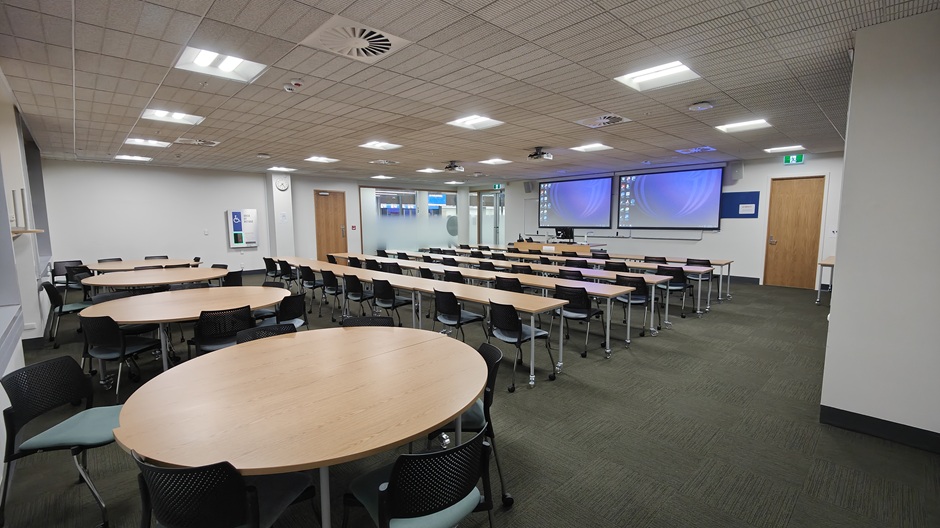 | 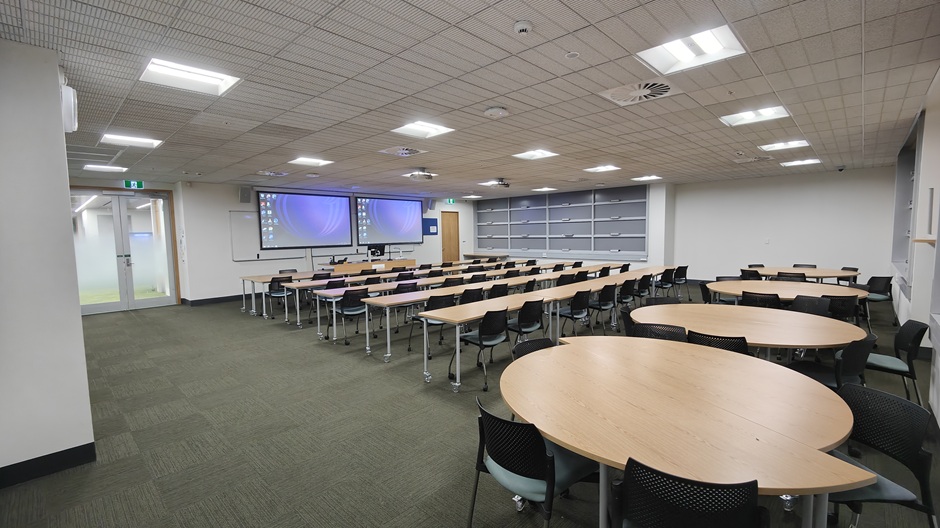 |
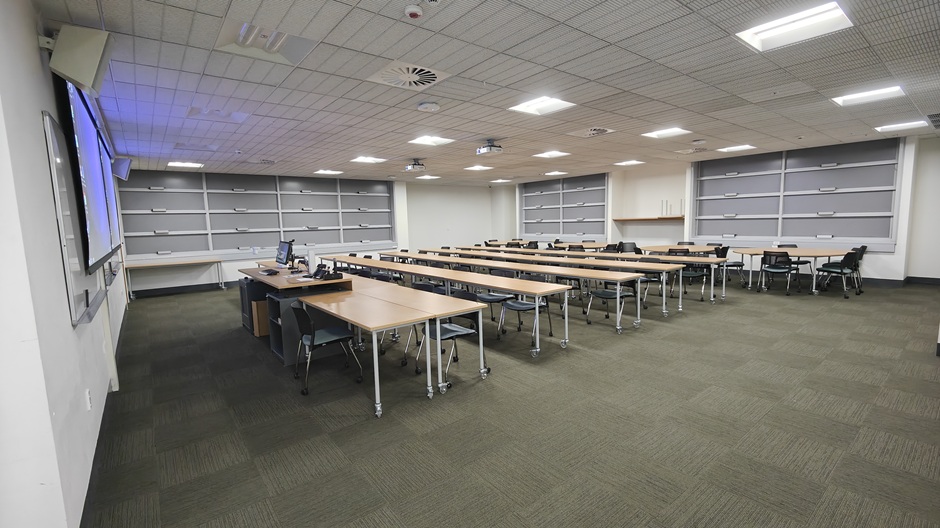
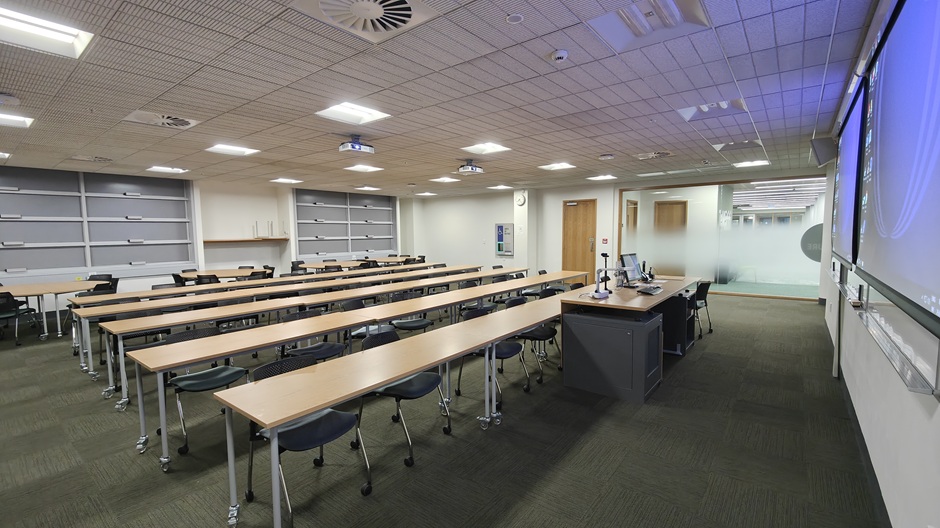
Description of room layout: A standard classroom style arrangement of movable tables and chairs.
Room charges for internal customers (i.e. those charging to a University of Otago account code)
Room charges for external customers (i.e. all other customers)
For emergencies: Technician, after-hours and security phone numbers can be found next to the Emergency Telephone on the lectern.
If you would like more information about St David Complex Seminar Room C G.03, please contact the area AV Support technician:
- Tel +64 3 479 4561
Otago Business School Room G.17
Located on the ground floor of the Otago Business School.
Room code: OBSG17
Room number: OBSG17
Capacity: 64
| Room features | |
|---|---|
| Theatre controls | Fully integrated audiovisual operated by the lectern touch panel |
| Recording facilities | Audiovisual recording available through ITS Media Production |
| Interlinking | No |
| Laptop connections | HDMI with USB-C adapter |
| Dropbox folder name | obsg17 |
| Equipment available | Quantity | Details |
|---|---|---|
| Screen | 1 | 2.4m x 1.3m pull down |
| Whiteboard | 2 | 2.4m x 1.2m |
| Computer | 1 | Windows (PC) |
| Data projector | 2 | Full HD resolution - data projection control from lectern (16:9 format) |
| Microphone | 2 | 1 lapel and 1 handheld microphone |
 |  |
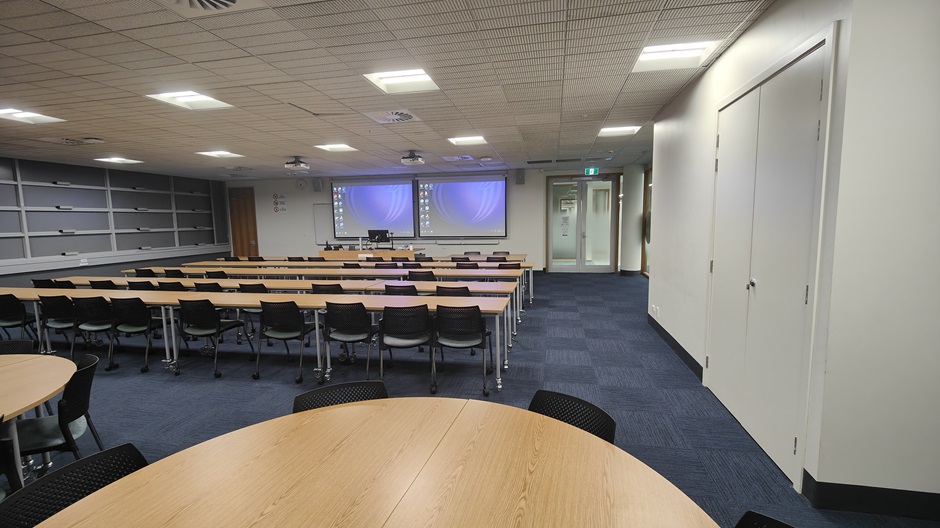 | 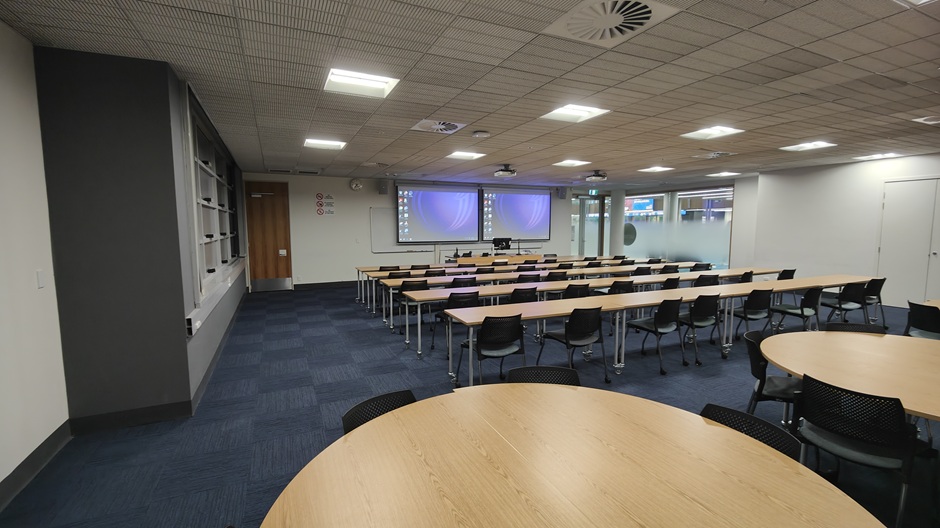 |
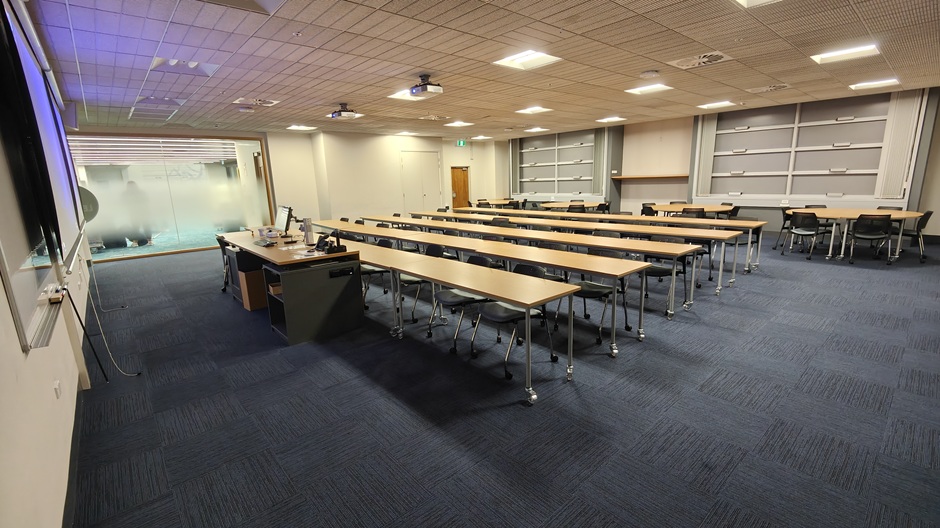
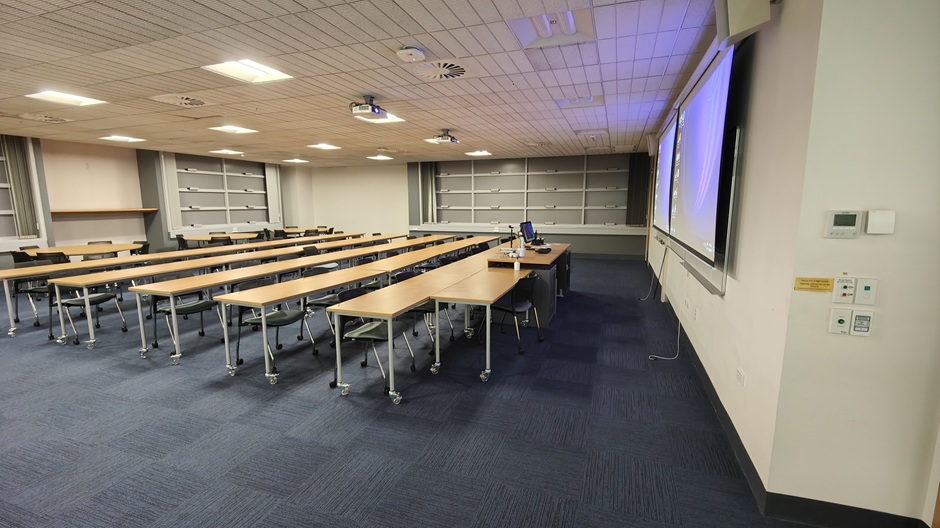
Description of room layout: A standard classroom style arrangement of movable tables and chairs.
Room charges for internal customers (i.e. those charging to a University of Otago account code)
Room charges for external customers (i.e. all other customers)
For emergencies: Technician, after-hours and security phone numbers can be found next to the Emergency Telephone on the lectern.
If you would like more information about the Otago Business School Room G17, please contact the area AV Support technician:
- Tel +64 3 479 4561
Otago Business School Room G.19
Located on the ground floor of the Otago Business School.
Room code: OBSG19
Room number: G19
Capacity: 56
| Room features | |
|---|---|
| Theatre controls | Fully integrated audiovisual and lighting controls operated by the lectern touch panel |
| Recording facilities | Audiovisual recording available through ITS Media Production |
| Interlinking | No |
| Laptop connections | HDMI with USB-C adapter |
| Dropbox folder name | obsg19 |
| Equipment available | Quantity | Details |
|---|---|---|
| Screen | 2 | 2.4m x 1.3m pull down |
| Whiteboard | 2 | 2.4m x 1.2m |
| Computer | 1 | Windows (PC) |
| Data projector | 2 | Full HD resolution - dual data projection control from lectern (16:9 format) |
| Visual presenter | 1 | Available |
| Radio microphone | 2 | 1 handheld and 1 lapel radio microphone |
 |  |
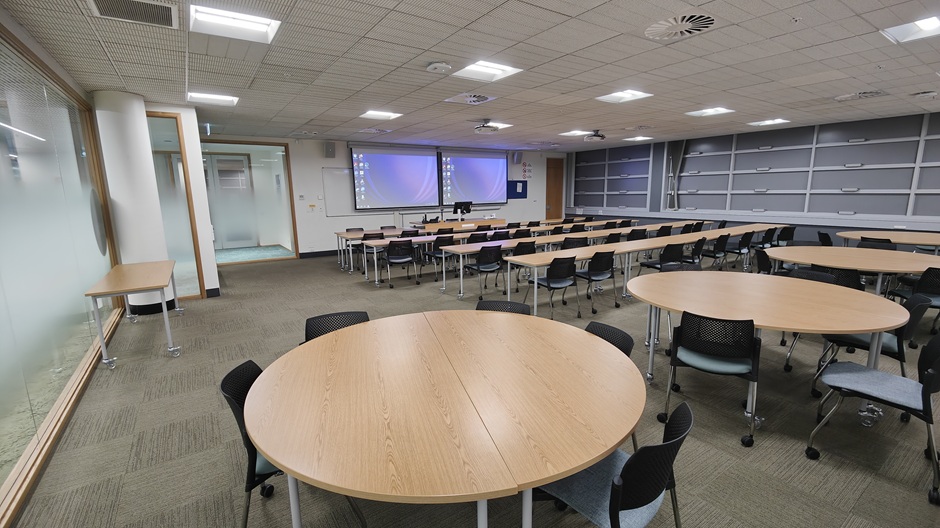 | 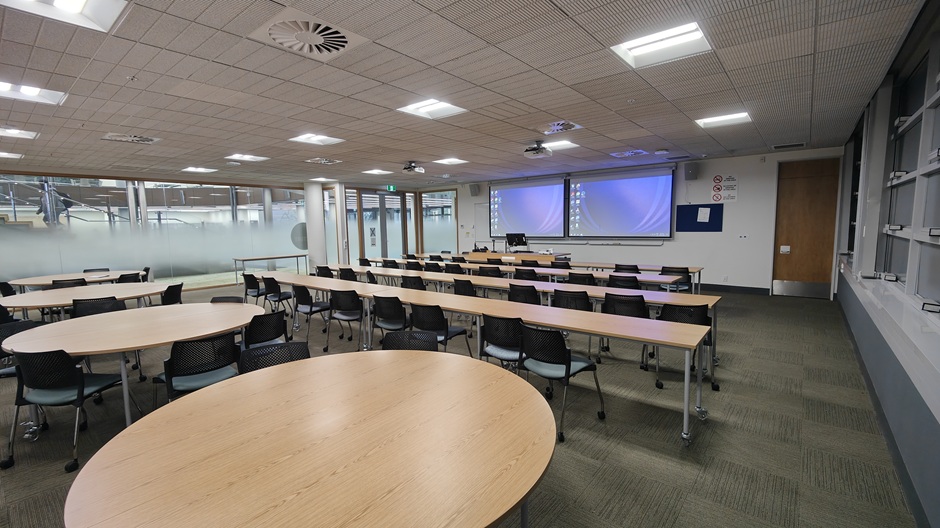 |
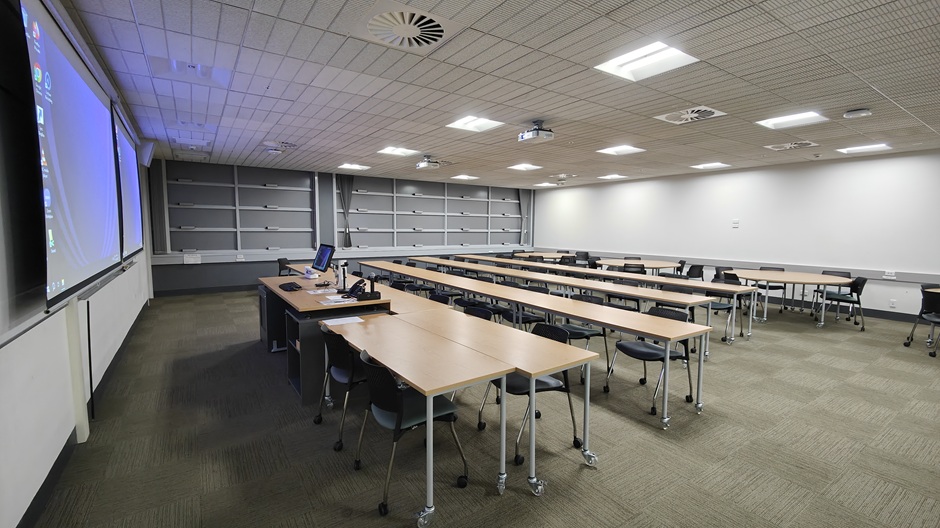
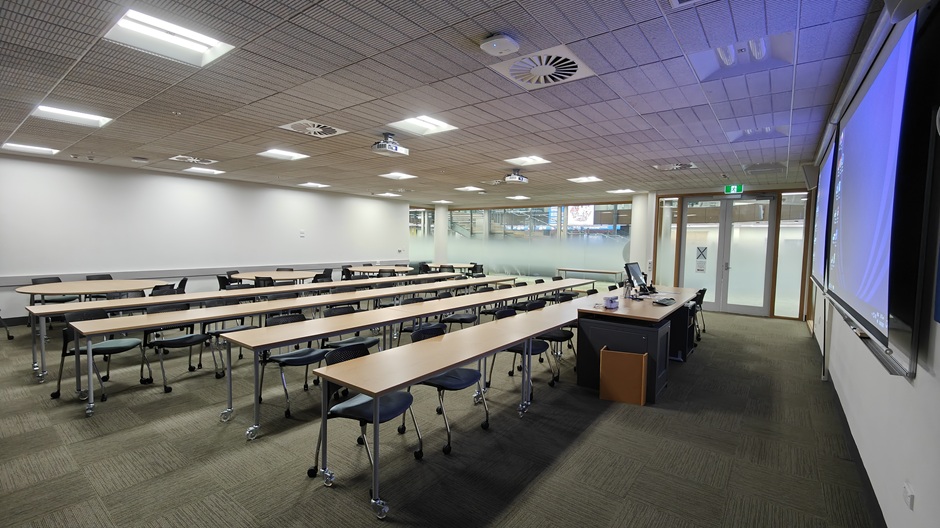
Description of room layout: A standard classroom style arrangement of movable tables and chairs.
Room charges for internal customers (i.e. those charging to a University of Otago account code)
Room charges for external customers (i.e. all other customers)
For emergencies: Technician, after-hours and security phone numbers can be found next to the Emergency Telephone on the lectern.
If you would like more information about Otago Business School G01, please contact the area AV Support technician:
- Tel +64 3 479 4561
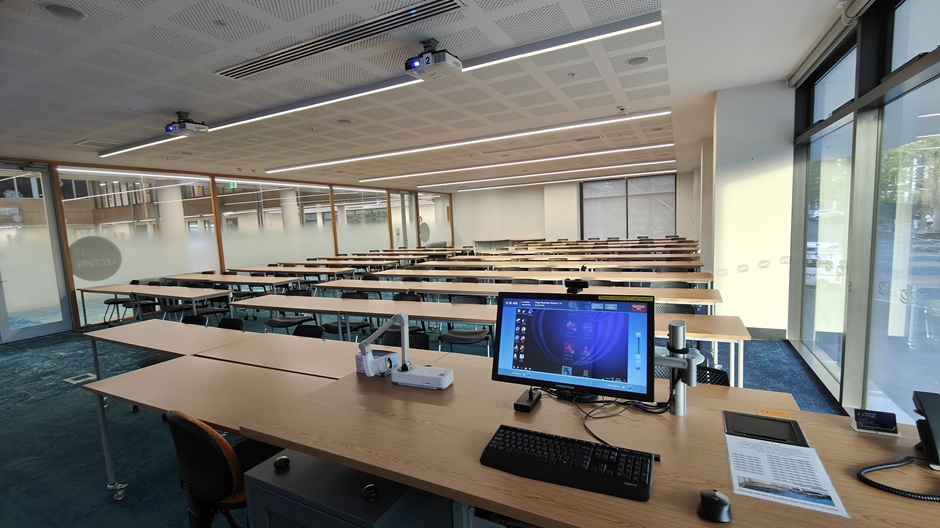
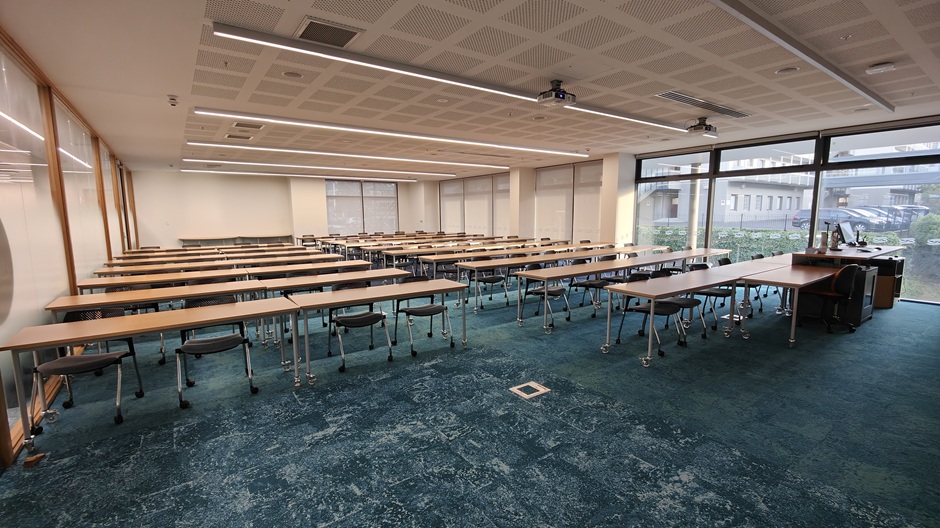
Otago Business School Room 1.17
Located on the first floor of the Otago Business School.
Room code: OBS117
Room number: 1.17
Capacity: 88
| Room features | |
|---|---|
| Theatre controls | Fully integrated audiovisual and lighting controls operated by the lectern touch panel |
| Recording facilities | Audiovisual recording available through ITS Media Production |
| Interlinking | No |
| Laptop connections | HDMI with USB-C adapter |
| Dropbox folder name | obs117 |
| Equipment available | Quantity | Details |
|---|---|---|
| Screen | 2 | 2.4m x 1.2m motorised |
| Whiteboard | 2 | 2.4m x 1.2m |
| Computer | 1 | Windows (PC) |
| Data projector | 2 | Full HD resolution - dual data projection control from lectern (16:9 format) |
| Visual presenter | 1 | Available |
| Radio microphone | 2 | 1 handheld and 1 lapel radio microphone |
 |  |
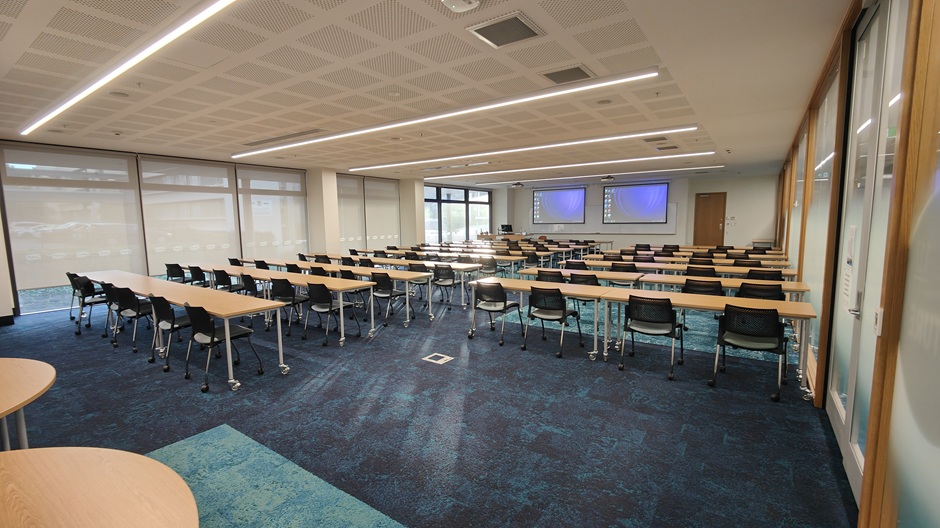 | 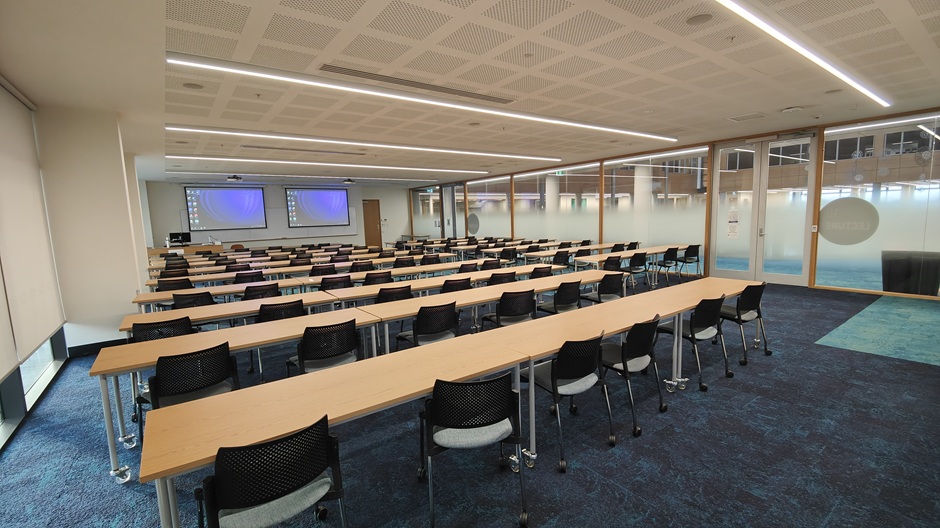 |
Description of room layout: A standard classroom style arrangement of movable tables and chairs.
Room charges for internal customers (i.e. those charging to a University of Otago account code)
Room charges for external customers (i.e. all other customers)
For emergencies: Technician, after-hours and security phone numbers can be found next to the Emergency Telephone on the lectern.
If you would like more information about Otago Business School Room 1.17, please contact the area AV Support technician:
- Tel +64 3 479 4561
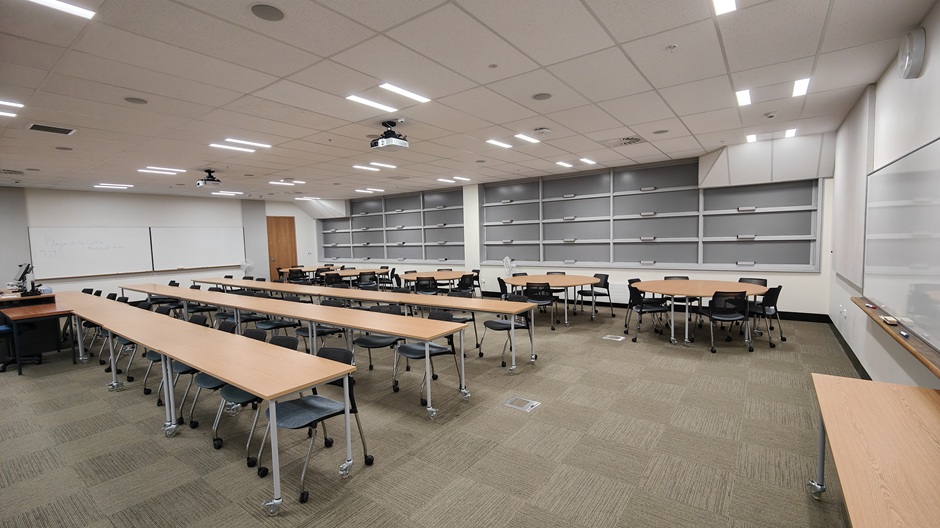
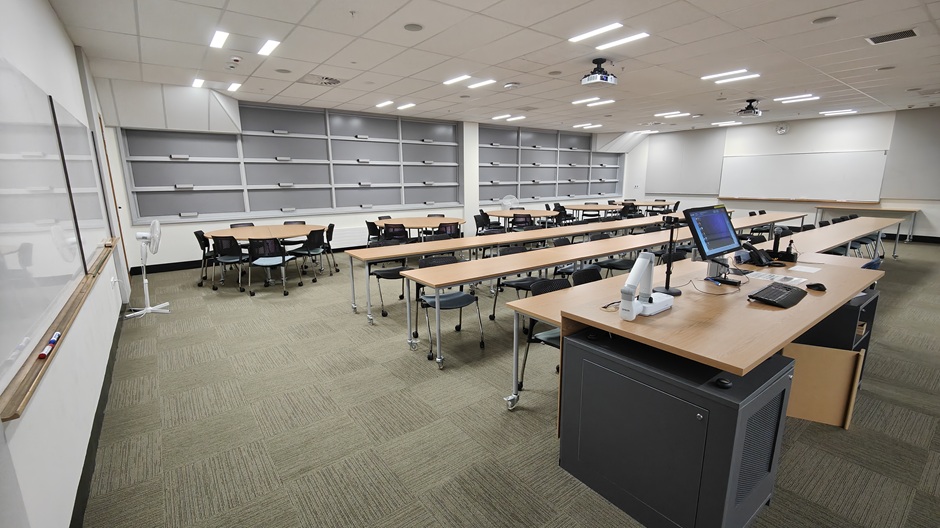
Otago Business School Room 1.19
Located on the first floor of the Otago Business School.
Room code: OBS119
Room number: 1.19
Capacity: 60
| Room features | |
|---|---|
| Theatre controls | Fully integrated audiovisual and lighting controls operated by the lectern touch panel |
| Recording facilities | Audiovisual recording available through ITS Media Production |
| Interlinking | No |
| Laptop connections | HDMI with USB-C adapter |
| Dropbox folder name | obs119 |
| Equipment available | Quantity | Details |
|---|---|---|
| Screen | 2 | 2.4m x 1.2m motorised |
| Whiteboard | 4 | 2 pairs of 2.4m x 1.2m |
| Computer | 1 | Windows (PC) |
| Data projector | 2 | Full HD resolution - dual data projection control from lectern (16:9 format) |
| Visual presenter | 1 | Available |
| Radio microphone | 2 | 1 handheld and 1 lapel radio microphone |
 |  |
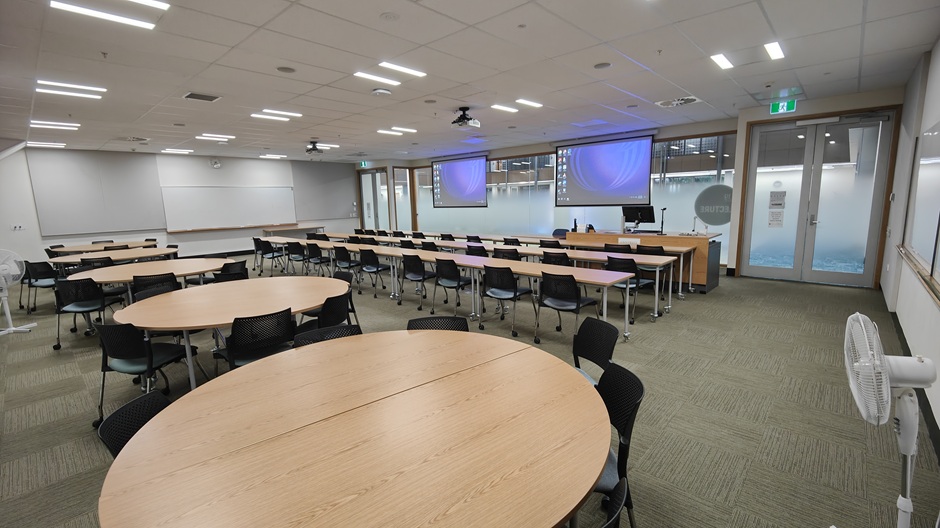 | 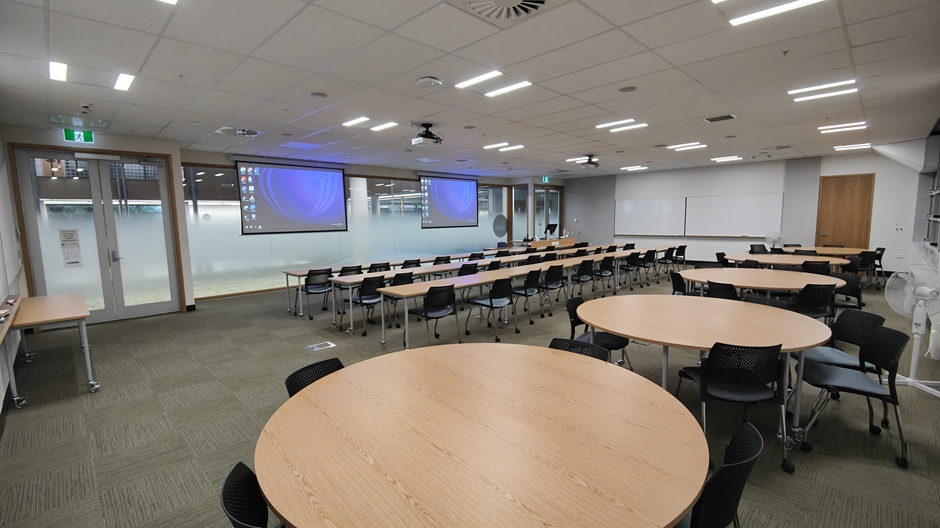 |
Description of room layout: A standard classroom style arrangement of movable tables and chairs.
Room charges for internal customers (i.e. those charging to a University of Otago account code)
Room charges for external customers (i.e. all other customers)
For emergencies: Technician, after-hours and security phone numbers can be found next to the Emergency Telephone on the lectern.
If you would like more information about Otago Business School Room 1.19, please contact the area lecture AV Support technician:
- Tel +64 3 479 4561
Page last updated March 2025